- Download Meta Data XML from here: https://urldefense.com/v3/__https://idp.nebraskacloud.org/simplesaml/saml2/idp/metadata.php__;!!PvXuogZ4sRB2p-tU!HLegSLz715qNlovjS37Iaws5jyqAPb5QYoUz5xr8WysKSCFeI2vdzBiuzhc9hfbf20eGJ8KGDxv2niWFxzfgOr_t$
- Open the file in a text editor, and copy the node text for “ds:X509Certificate”.
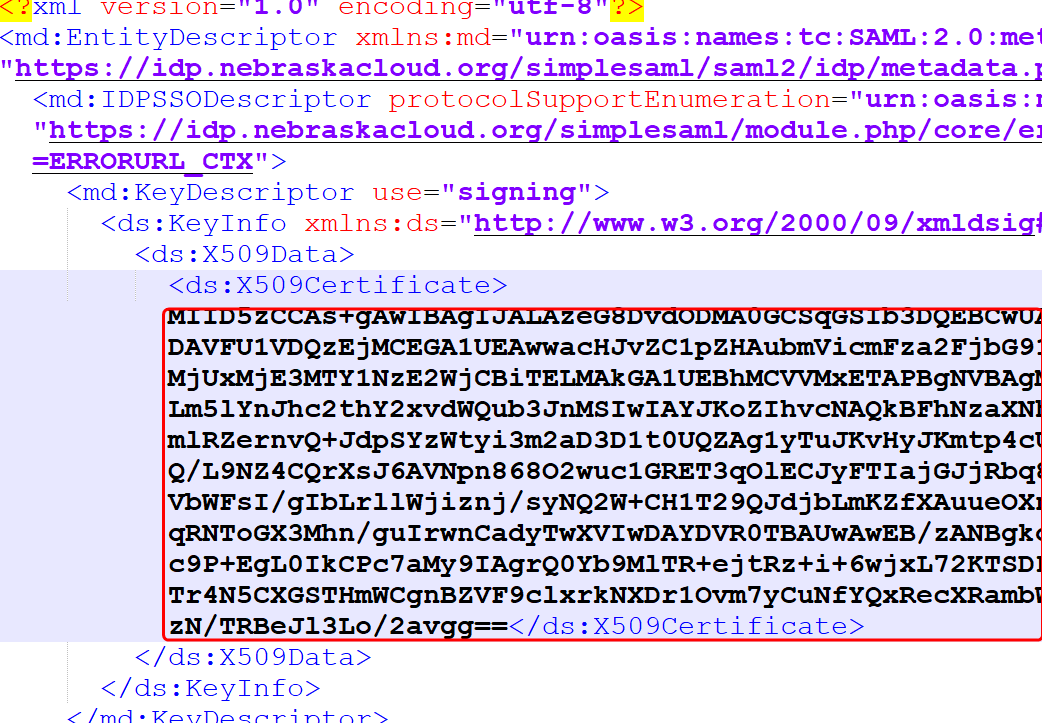
COPY ONLY THE TEXT IN THE NODE (i.e. <ds:X509Certificate>(copy this text )</ds:X509Certificate> - Paste this text in a new file.
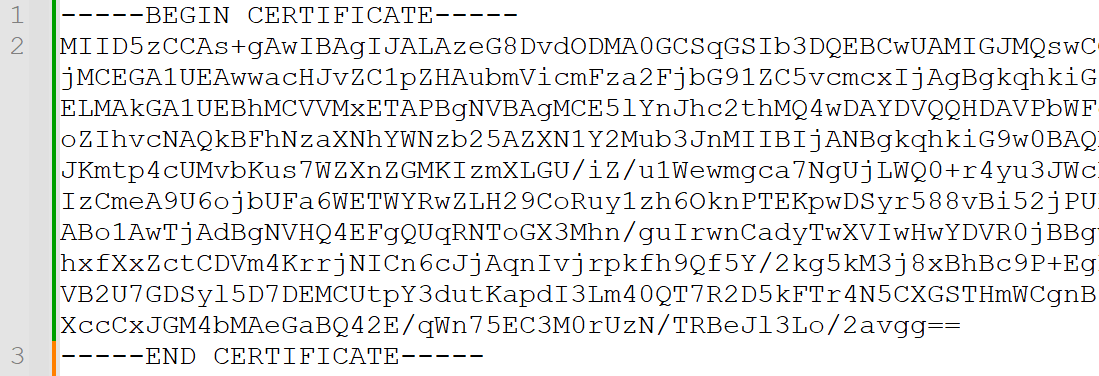
- Add —–BEGIN CERTIFICATE—– on a line BEFORE the text copied above.
- Add —–END CERTIFICATE—– on a line AFTER the text copied above.
- It should like like this:
- Save the file as esucc.cer.
- You will need access to the fold command. This is available on GIT Bash or a Linux operating system.
- Change directories to the location of the saved esucc.cer file and execute the following command. This wraps each line to be 64 characters.
- fold -w 64 esucc.cer > new-esucc.crt
- The certificate file called new-esucc.crt is ready for use. The esucc.crt can be deleted.

Updating ESUCC X509 for SSO
Contents
Updated on December 11, 2025
Leave a Reply