
insights+ allows a user notice to be shown at the top of the home page. In order to activate this feature, use the App Configuration settings for insights+:
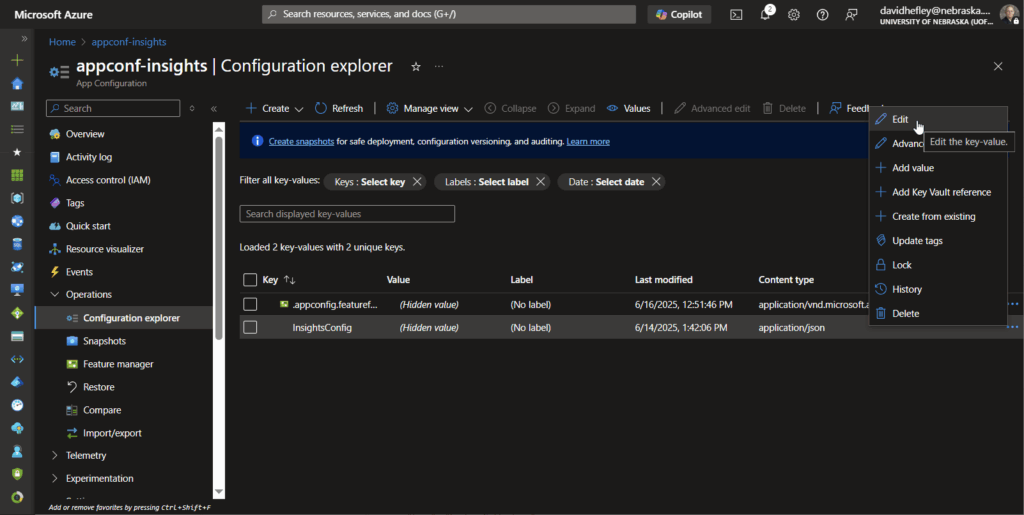
- Open app configuration Configuration Explorer (located under the Operations option in the management blade)
- Click on the three dots to the right of InsightsConfig and click on Edit.
- Edit the notice property.
- Click on Apply.
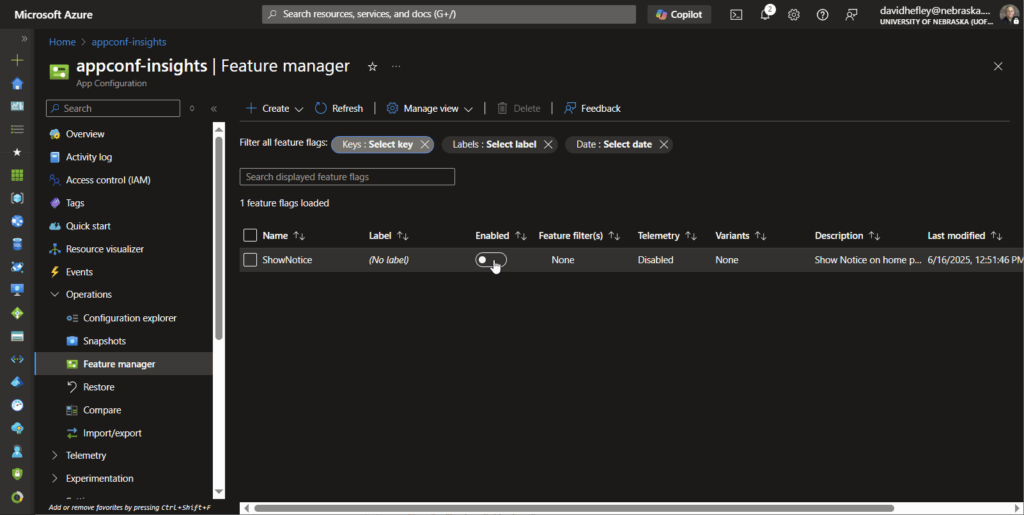
- Click on Feature manager from the management blade.
- Toggle the Enabled option for the ShowNotice feature.
- To hide the notice, simply toggle this option again to be in the off state.
Leave a Reply